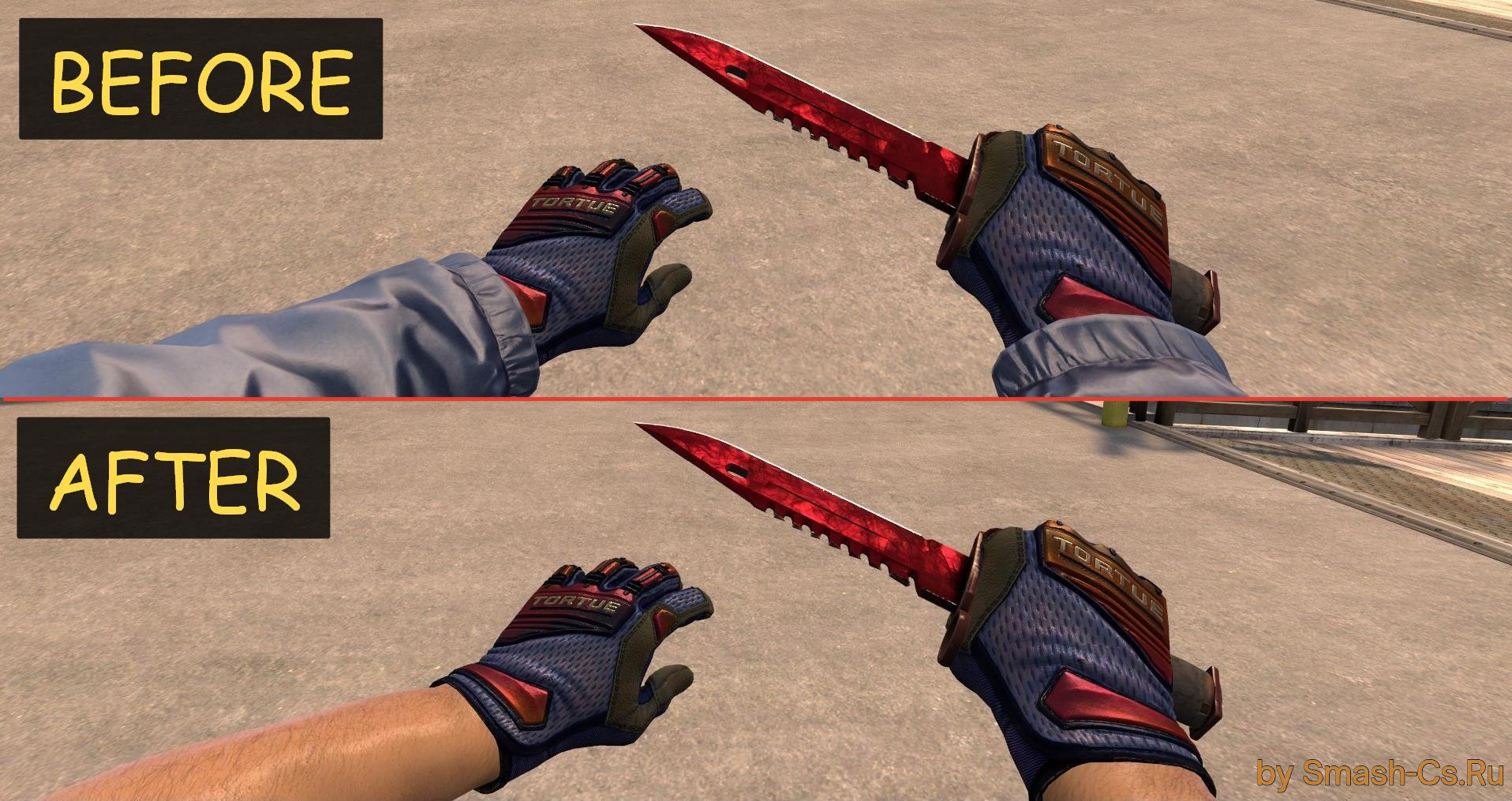
Found a CS:GO model you like, but the attached sleeves are getting in the way? In this article, we'll show you the simplest way to hide sleeves, which requires no modding skills or additional software.
Which folder should I open?
The file responsible for rendering the sleeve texture is a .vmt file, which is usually located at the following path: materials\models\weapons\v_models\arms.
The path may vary, but the final folder is called arms in most cases.
Which file removes the sleeves?
In the directory mentioned above, you need to find the .vmt file containing the word sleeve in its name. You need to open this file using Notepad or any other text editor.
Example of an opened file:

Next, you need to insert the following command at the very top, before the line containing $basetexture:
"$no_draw" "1"It should look like this:
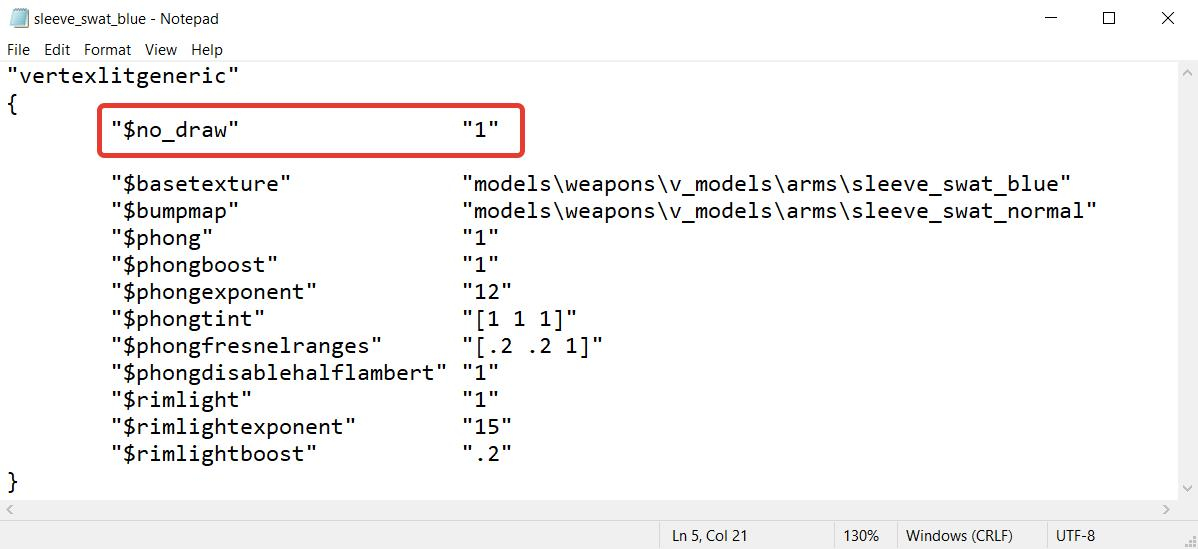
After that, save the file and you're done! The sleeves will now be hidden. If you want to bring them back, you will need to either delete the command you added or comment it out by adding // at the beginning of the line (it should look like this: //$no_draw" "1").
Here is a list of models with sleeves for you to practice on:
If you couldn't remove the sleeves, be sure to write about your problem in the comments, and we'll try to help you!
P.S. This method doesn't work 100% of the time, so you might need a different, more technically complex and interesting guide, which will be published a bit later.